How do you design a corporate brochure that people keep and act on?
What to put in a corporate brochure, how to choose the format and fold, and the print specifications (bleed, resolution, colour, margins) that keep it looking professional on paper and on screen.
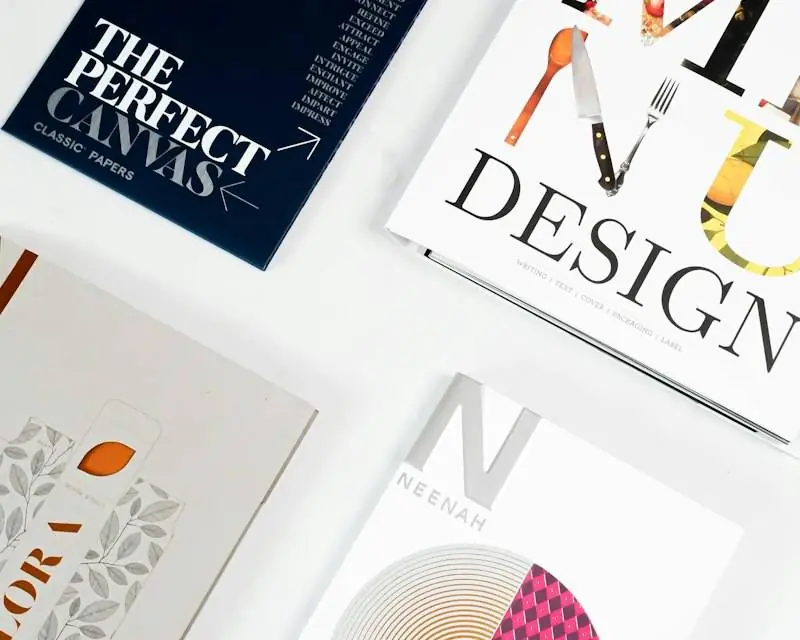
A corporate brochure should do one job, such as introducing a service at an event or leaving something behind after a meeting. Keep the text short, lead with the benefit, use real photos and end with one clear action. For print, supply a PDF with 3 mm bleed, images at about 300 dpi, CMYK colour and text at least 5 mm inside the trim.
Who this is for
- Marketing and business development teams preparing for events and exhibitions
- Firms that need a short leave-behind after meetings
- Businesses printing for the first time
A brochure that ends up in a bin has cost you printing and a missed opportunity. A good one gets kept, passed on and acted on. Here is how to plan the content, choose the format and prepare files that print well.
What job is your brochure doing?
Decide this before you write a word:
- Event or exhibition: introduce the company and get a follow-up meeting.
- Leave-behind: remind a prospect what you discussed and what to do next.
- Product or service launch: explain one offer in detail.
- Digital version: a PDF to send after a call, because buyers increasingly research on their own before they meet suppliers [2].
One brochure, one job. If you need several, make several short ones.
What content should it include?
| Panel or page | Content |
|---|---|
| Cover | Company name and logo, one benefit-led headline, a strong real photo |
| Inside opening | The problem you solve and the result for the client |
| Services or products | Three to six, each with one or two lines |
| Proof | A project, numbers, client logos with permission, certificates |
| About | Two or three lines on who you are and since when |
| Back | Clear action, contacts, website, QR code, map or address |
Write short. Headlines should state benefits; body text should be scannable in under two minutes.
Which format and fold should you choose?
| Format | Best for | Notes |
|---|---|---|
| A4 tri-fold (six panels) | Events, mass handouts | Economical; limited space |
| A4 folded to A5 (four pages) | Leave-behinds, service overviews | More space, more premium feel |
| A5 or A4 booklet (8–12 pages) | Product ranges, capability overviews | Needs page counts in multiples of four |
| PDF only | Email and WhatsApp | Optimise file size; use clickable links |
What print specifications should you use?
Printers need files set up correctly. A widely used print guide from the University of Cambridge recommends [1]:
- Bleed: 3 mm on all edges, so colour and images run to the edge after trimming.
- Resolution: at least 300 dpi at the printed size; lower resolutions look soft.
- Colour: CMYK; RGB colours can print dull and flat.
- Safe margin: keep text and logos at least 5 mm from the edge.
- PDF export: do not let the software downsample images.
Ask your printer for their exact specifications and a printed proof before the full run, especially for brand colours.
Which design mistakes look unprofessional?
- Too much text and too many fonts
- Low-resolution logos and photos taken from WhatsApp
- Text too close to the fold or trim
- Contact details that are hard to find
- No clear next step
What to do now
- Write down the brochure's one job and who will receive it.
- Choose the format based on how much you need to say.
- Draft the text panel by panel using the table above.
- Collect a high-quality logo and real photos.
- Design, then export a print PDF with bleed and a separate light PDF for sharing.
- Approve a printed proof before the full run.
How Company Profile TZ helps
We write and design corporate brochures, company profiles and capability statements that share one professional look, and deliver print-ready and WhatsApp-ready files.
Frequently asked questions
What is the difference between a brochure and a company profile?
A company profile is a full introduction to the business, usually 8 to 20 pages. A brochure is shorter and focused, often on one service, product or event, and designed to be picked up and read in a minute or two.
Which brochure format should I choose?
A4 tri-fold is cheap and easy to hand out; a folded A4 (four A5 pages) feels more premium; an 8- to 12-page booklet suits product ranges. Choose by how much you need to say and where it will be used.
Can I print from a Word or PowerPoint file?
You can export a PDF from them, but turn off image compression first. Professional layout software gives more control over bleed and colour.
Need help with this?
Tell us what you are preparing and when you need it. We reply on WhatsApp, by phone or by email.
WhatsApp +255 755 513 015 · companyprofiletz@gmail.com
Sources and status
- Print guide (bleed, resolution and colour for print-ready PDFs) · AVMG, University of Cambridge, 2021 Confirmed
- Gartner Says 80% of B2B Sales Interactions Between Suppliers and Buyers Will Occur in Digital Channels by 2025 · Gartner (press release), 15 Sep 2020 Confirmed
Sources checked on 11 Nov 2026.
About this article
Prepared by the Company Profile TZ editorial team. Facts and figures link to the numbered sources above. Last reviewed: .
Disclaimer
This article is general information, not legal, tax or financial advice. Laws, fees and requirements change. Confirm the current position with the responsible authority, or talk to a qualified professional, before you act.